

Userology AI
The AI user research agent for busy product teams
457 followers
The AI user research agent for busy product teams
457 followers
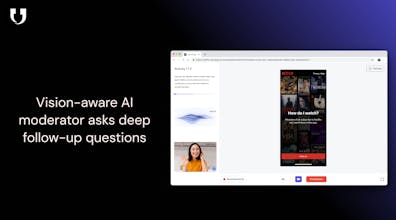
Userology is your AI user researcher on autopilot. Drop in a Figma prototype or live product, set your target persona, and our AI recruits users, moderates sessions, and turns messy transcripts into bite-sized insight reports with clips, quotes, and clear next steps.




Lancepilot
Nice work :) The “research every sprint” positioning feels very realistic for fast-moving teams.
Userology AI
@raihanshezan Thanks ! We found that speed is the only way to make research a habit rather than a luxury. Glad you resonate with the positioning!
Zivy
Congrats on the launch, @shrey_khokhra1 @shivam_sethi1 this is a super compelling take on making UX research truly continuous, not episodic. 🚀
The screen-aware, live-moderated angle especially stands out. Curious to know: how does Userology handle bias and follow-up depth during live sessions, especially when users give vague or surface-level answers? Do teams have control over how the AI probes deeper in real time?
Userology AI
@harkirat_singh3777
Thanks, Harkirat, this is a core problem we spent a lot of time on.
We handle this in three ways:
1) Objective-anchored moderation
Every session starts with explicit research objectives defined by the team. The AI treats these as guardrails, not scripts—so follow-ups are driven by relevance to the goal, not generic curiosity.
2) Bias control through evidence-first probing
The moderator is trained to probe behavior before opinion. If a participant gives a vague answer, it doesn’t accept it at face value—it asks why, what happened on screen, or what they expected, instead of leading them toward a hypothesis.
3) Real-time control, not a black box
Teams can tune probing depth at a study and section level (light validation vs deep exploration), and every insight is traceable back to raw clips and transcripts, so bias is visible, auditable, and correctable.
The goal isn’t to replace researcher judgment, but to make high-quality, continuous research possible even when teams don’t have time to moderate every session live.
Checked this out after seeing the launch and it’s surprisingly clear and easy to follow.
User research tools can get overwhelming fast, but this feels very approachable. Nice work to the team 👏
Strengths:
Userology fills an existing void in how product teams do research by allowing automated recruiting, real-time usability sessions, and full report synthesis all within one tool. The concept of an artificial intelligence (AI) UX researcher that can talk to users, watch their screens as they interact with applications/products, and generate decision-ready reports is compelling for teams that don’t often have the resources (time or budget) to conduct proper research. The user experience of Userology is clean and intuitive; the simplicity of the interface lends itself to being easily understandable while still providing a high level of capability. I have already recommended Userology to numerous organizations to test, which speaks volumes regarding the practicality of the tool.
Weaknesses:
Although the interface of Userology is clean and easy to understand, the amount of functional depth within the application is not immediately apparent when a user opens the application for the first time. It took me a little while to figure out what I needed to prepare to begin my Userology project. If additional information, such as clear guidance, onboarding options, and in-application examples were provided to new users, the process of reaching a value from Userology would be much faster.
Comparison to Other Tools:
In comparison to the many other tools available in this space (i.e., survey tools, recording tools, asynchronous feedback tools), Userology appears to be the closest to a real UX researcher who is embedded into the user’s workflow. The live, AI-moderated sessions and ability to see the user’s screens appear to clearly differentiate Userology from the alternatives. However, many of the alternative tools do a much better job of taking first-time users by the hand and walking them through each of the steps required to take advantage of the tool, which is an area that Userology may also want to consider improving upon in order to equalize with the strength of its core proposition.
Will Userology Support Research in Multiple Languages?
There are references to the support of Userology supporting research in over 40 languages, however, it is unclear how deeply the support for those languages extends. For example, will Userology provide complete support for Arabic language for the purposes of moderation, analysis, and reporting?
Can Teams Easily Adopt Userology at Scale?
The automation of many aspects of the research workflow, along with the structured output of results suggests that it should be possible to easily scale the use of Userology across large numbers of teams and sprints. Documenting and showing examples of using Userology should also be helpful in making it easier for teams with a smaller number of researchers, or teams with limited experience with conducting research, to be able to use Userology with confidence.
Are There Ways to Learn Best Practices When Using Userology?
A great deal of additional learning and education would occur if in-app help was supplemented with the opportunity to attend live demonstrations, or participate in webinars. For example, a LinkedIn webinar that was hosted by the founder of Userology that demonstrated real studies, and showed the outcomes, would go a long way toward helping users understand both the "how" and the "why" of utilizing Userology.
Rating
Ease of Use: 3 / 5 - Userology has a clean user interface, but the onboarding and project setup processes require clearer guidance.
Reliability: 4 / 5 - The end-to-end automation, and structured results indicate a consistent research workflow.
Value for Money: 4 / 5 - Provides strong value for teams that want to continue to research continuously, but cannot afford to build a full UX team.
Customization: 4 / 5 - Provides flexibility in terms of use case scenarios, although the discovery of features could be improved.
Wow, Userology AI looks amazing! Super excited about the idea of auto-recruiting users. How finely can I tune the target persona matching to get really specific niche feedback?
Userology AI
@jaydev13 The basic demographic details would be there on the product (like education and income, ethnicity, etc.). For more fine-tuning, you can create your screener questions, and the users will be answering those.
Where was this whenever I was a UX Designer!? Love this - so much potential. I've shared this on wearefounders.uk, and you're on the front page. :)
Userology AI
@chris_kernaghan2 Hey Chris, thank you for the Shoutout. And a very Happy new year! :D
HelloCV AI
Userology AI
@shubhra_motgill When setting up, it integrates with your PRD, understands your product, and generates a guide which consists of a list of questions, tasks, instructions, and topics to it will cover. This is where you get to see how it will handle the questions.