
Launched this week

StayAwake.Dev
The one tab developers never close
114 followers
The one tab developers never close
114 followers
StayAwake.Dev is a single tab productivity hub for developers who live in the browser. It brings together the tools you usually keep open in multiple tabs into one focused workspace with no installs or sign ups. Includes a flip clock, Pomodoro timer, Stay Awake screen lock, tasks with priorities, and essential dev utilities like UUID, Base64, hashes, JWT, JSON formatter, regex, URL tools, and timestamps. Built to stay open all day and eliminate tab chaos.


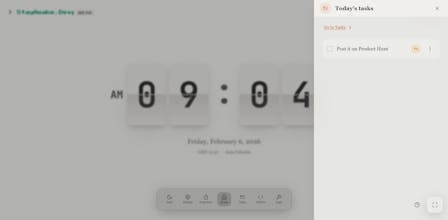
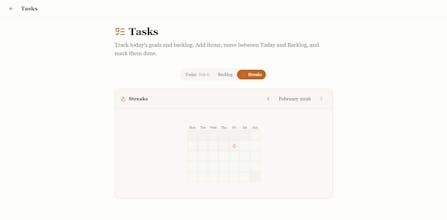

StayAwake.Dev
Hey Product Hunt 👋
I built StayAwake.Dev because I was tired of juggling multiple tabs just to stay focused while coding.
I wanted one place that could stay open all day with a clock, Pomodoro, screen wake lock, tasks, and the small dev utilities I reach for constantly like UUIDs, JSON formatting, JWT decoding, and timestamps.
No installs, no sign ups, no tracking. Just a single tab that does its job and stays out of the way.
Would love to hear what you think and what you would add next.
Thanks for checking it out 🚀
Polyglotta
Looks cool, congrats on the launch! Would be nice to have simple markdown notes as well.
StayAwake.Dev
@milukove Thank you. Glad you like it. Simple markdown notes are a great idea and already on our radar. Definitely something we want to add.
i have like 30 tabs open at any given time - one for docs, one for the API playground, one for Stack Overflow from two days ago that i swear i'll read eventually. the "one tab you never close" angle is smart. what made you go with browser tab vs desktop app? i'm guessing it's for the zero-friction start, but curious if there were trade-offs around performance or persistence when the tab accidentally gets closed
StayAwake.Dev
@mykola_kondratiuk You guessed it. Zero friction was the main reason. A browser tab fits naturally into how developers already work, with no installs or context switching. The main trade-off is accidental closures, so persistence and fast restoration are core to the product. Desktop is not off the table, but this felt like the right place to start.
Halfway through debugging an auth flow yesterday, I had three tabs open just for JWT decoding, JSON formatting, and a timestamp converter. Then my screen locked during a long test run. StayAwake.Dev bundling wake lock plus those exact dev utilities in one persistent tab would've saved me from reopening everything. Pomodoro built in means one less tab for that too.
StayAwake.Dev
@piroune_balachandran That’s exactly the pain we built it for 😅 too many “tiny” dev tabs that add up fast. Glad this resonated. Keeping everything in one persistent tab was the goal. Appreciate you sharing the real-world use case.
@rakesh_vangari StayAwake.Dev's screen lock plus the dev utilities in one tab killed my tab hoarding habit on day one.
This is smart. I always have 5+ tabs open for random dev utils scattered across different sites. One tab that stays pinned with everything sounds way more sane. The screen wake lock alone is useful. Well done.
For developers who spend 8+ hours a day in the browser, StayAwake.Dev solves so many small but annoying pain points, having all those tiny dev utilities (UUID, hashes, regex) in one place—no more opening 10 different tabs for each.
I'm curious about that: How does the “Stay Awake” screen lock work (does it prevent sleep only when the tab is active, or system-wide)? And will you support offline use for when I’m working without internet?