
Launched this week

spacecake
Run Claude Code agents in terminal with a visual editor
60 followers
Run Claude Code agents in terminal with a visual editor
60 followers
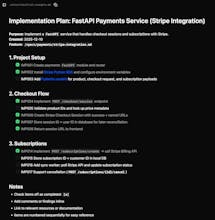
Terminals are great for running agents, but terrible for editing markdown. spacecake is an open-source desktop app that supercharges Claude Code with a Notion-style markdown editor and integrated Ghostty terminal. The status bar shows your context window and usage cost ($) in real time, while the tasks panel gives you a live view of what agents are doing and what’s coming next.




spacecake
Terminal handles the agent loop fine, but markdown streams look brutal. Been eyeing Claude Chic for the rendering side, though worktree support for parallel agents is what pulled me in there. Spacecake's visual editing angle could be the unlock if it handles concurrent sessions as cleanly.
spacecake
@piroune_balachandran thanks for the feedback!
You can track work in concurrent sessions through the tasks panel in spacecake (it shows which agent/subagent the task is assigned to).
It would be great to have a UI for worktrees though - I will add that ASAP.
Let me know if there are any other features you'd find useful.
Cloudthread
Super cool! So you and claud code can collaborate on the md files and use them to inform future tasks?
spacecake
@daniele_packard absolutely!
My personal workflow is this:
Start Claude Code in plan mode (enabled by default in the spacecake terminal)
Iterate on a markdown plan (press ctrl+g to open it in the spacecake WYSIWYG editor)
If it's a small task/something to start right away, I press shift+enter for Claude to start building it
If it's a longer task or something to start later, I just save it to disk.
I also use markdown files for handoffs between agents - asking Claude to write a summary of references used, what's been built, what remains, and what the next priority is.
Then I clear the context window and have the next agent pick up the remaining work.
I find this works really well compared to auto-compaction, since you can easily review and edit exactly what's going to be loaded into the context window for the next agent.
Hello how do I use product?
spacecake
@god_swill_jackson you can download and install the desktop app from the website: https://www.spacecake.ai/
The 'getting started' guide is a good place to start :)
If you have any issues let me know!
I'm also in the spacecake Discord channel if you prefer to chat there.
Looks good,
How to use?
spacecake
@web_clipper you can download and install the desktop app from the website: https://www.spacecake.ai/
The 'getting started' guide is a good place to start :)
If you have any issues let me know!
I'm also in the spacecake Discord channel if you prefer to chat there.
spacecake
@truongfiu Hi Gnourt, yep! A few people have asked for this recently. I'll try to add a windows build this weekend.
spacecake
@truongfiu windows installer is now available! https://www.spacecake.ai/
If you find any issues, please raise them on GitHub and I'll get them fixed ASAP.