

NoteTabs
Native macOS text editor with horizontal tabs & auto-restore
86 followers
Native macOS text editor with horizontal tabs & auto-restore
86 followers
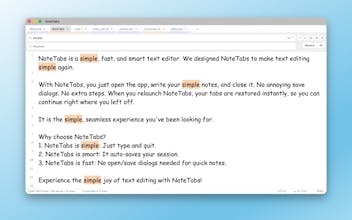
Still missing the tabbed experience of Notepad++ on your Mac? Meet NoteTabs. Unlike other apps, NoteTabs works directly with your local files; no databases, no lock-in. We brought the 'horizontal tabs' and 'auto-save' magic to a native, minimalist macOS interface. No more window clutter, no more 'Save' button anxiety. Just open, write, and close. Your notes stay exactly where you left them. Fast, lightweight, and built for people who value speed over complexity. Zero friction, total focus



NoteTabs
Hi Product Hunt,
After switching from Windows to macOS, I immediately hit a wall: there was no simple text editor that fit my workflow (especially horizontal tabs).
I don’t want another code editor.
I want a fast, no-friction text editor, like Notepad++, but native to macOS.
VS Code and Sublime Text are great, but they’re built for coding. For quick notes, logs, drafts, and plain text, they’re simply too much.
So I built NoteTabs.
What it focuses on:
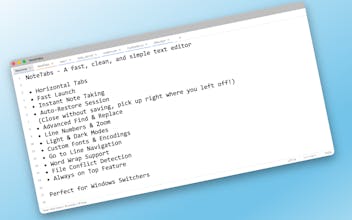
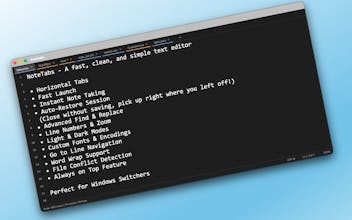
• Horizontal tabs, just like Notepad++
• Plain text & real files, not a Notes-style database
• Auto-save, close anytime, and continue exactly where you left off
• Zero setup, open the app and start typing
It’s a lightweight scratchpad for anyone who just needs text, nothing more, nothing less.
I’d love to hear what you think, especially what’s missing.
NoteTabs
The direct link to the App Store -> https://apps.apple.com/tr/app/notetabs/id6755886470
Dirac
In the world of so much ai slop, such a minimalistic text editor is kinda couter-intuitively amazing. What's the point of having it native to MacOS? What are horizontal tabs for this purpose?
NoteTabs
@peterz_shu That's a great question.
Honestly, NoteTabs was born out of a real personal need.
After switching from Windows to macOS, the thing I struggled with most was finding a simple, tabbed text editor that worked directly with the file system. I tried many alternatives. Sublime and VS Code were the closest, but using a heavy code editor for simple text felt like overkill.
Unlike Apple Notes or other web based tools that lock your notes into their own database, NoteTabs works directly with your file system. You can open existing local files, edit them, or create new ones. You can even keep 'unsaved' notes in tabs without ever creating a file. Being native makes this file handling fast and seamless.
Also, since it's built with Swift & SwiftUI (not Electron), it's incredibly lightweight and battery-efficient. It integrates deeply with macOS features like the native menu bar, file system (sandboxed), drag-and-drop, and even supports middle-click to close tabs, things that often feel 'off' in web-based apps.
As for the horizontal tabs:
They are there to kill window clutter. Instead of having 10 different windows open for 10 different notes, you have a single, organized workspace, just like a browser, but for your local text files
Glad you appreciate the minimalist approach ❤️
NoteTabs
@yacegl Yes. We use a custom subclass of NSTextView wrapped in NSViewRepresentable.
Copy Repo
instant download. very nearly built this last week because I was also fed up using textedit 😀
NoteTabs
@marcode Glad we saved you the trouble of building it! 😄
Happy to hear NoteTabs filled that gap for you.
Let us know if there's any specific feature you were planning for your own version 👀
New features are already in the works, including pinning tabs and renaming unsaved ones. Stay tuned!