

Locki Security
Protect sensitive information in any web app with Locki
164 followers
Protect sensitive information in any web app with Locki
164 followers
Locki lets you encrypt and decrypt sensitive data and files directly in your browser — before they are sent anywhere. Protect messages, credentials, and documents with end-to-end encryption built for simplicity.




Locki Security
Hello!
I’m excited to share Locki, a browser extension I created to make text encryption simple and practical. The idea came from the need to share sensitive information (like API keys or passwords) in tools like email, documents, chats, etc., without risking data leaks.
With Locki, you can:
- Encrypt/decrypt text directly where you type
- Keep encrypted fragments visible but unreadable until unlocked
- Manage keys securely and even share them with your team
It is available in Chrome and Chrome-based browsers, Firefox, and Safari.
This is just the beginning. I’d love to hear your feedback and ideas on how Locki could be even more useful.
Thanks for checking it out!
Looks pretty convenient! I'll give it a try. Congrats with the launch!
Locki Security
@anastasiia_kiosieva thank you!
If you have any questions please feel free to reach out!
Product Hunt Wrapped 2025
Locki sounds like a fantastic tool for ensuring our sensitive information stays safe and secure. The ability to encrypt text right where you're typing is such a convenient feature! Excited to try it out and see how it simplifies secure communication. Well done on this helpful creation! 🙌
Locki Security
@alex_cloudstar Thank you, Alex!
Please let me know if you have any questions or feedback after trying it out 🙂
This is simple and extremely useful. Upvoted. So, if I want to share my encrypted text to any member I must share my public key with them? Does it offer key versioning and management too, like if I want to share different keys to different members.
Locki Security
@vatsmi Hey Vatsal!
Thanks!
Now Locki uses a shared AES key, so to let teammates decrypt, you give them the same key.
Key versioning and multiple keys per member are not available yet, but that’s on the roadmap.
My Financé
a supreme nit pick but on your pricing page "stay up to date" is hard to see.
This is a very cool idea. If i share a field with someone who doesn't have the extension, i understand the steps they would have to take to be:
1. install the extension
2. get a key from me, or maybe i add their public key to the permission for this secret
3. now they can view.
is that the case? also is there an escape hatch if we share a secret that is in slack or something?
(doh, i guess i can just open a google doc, paste it, and then use my chrome extension)
Locki Security
@catt_marroll Thanks Matt! Fixed the subscription form for the dark theme:
As for the workflow, you got it almost right. To decrypt, the other person just needs to:
Install the extension.
Use the same shared AES key (no public/private keys yet).
Then they can view the secret.
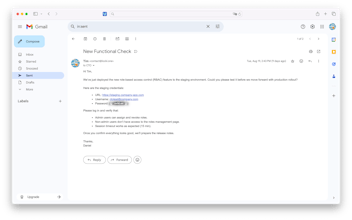
There’s no built-in escape hatch in Slack today, but you can copy the block into any supported editor (like Gmail message draft, Notion, etc.) and decrypt there. I’ll think about how to make this more seamless in the future. Key management with multiple keys/permissions is also on the roadmap.
Congrats on the launch! does Locki also support team-based workflows, like securely sharing encrypted content with selected teammates or collaborators?
Congrats on the launch, Tim. You might also want to list it on bestofweb .site where we feature new tools weekly.