Hey!

Hey!

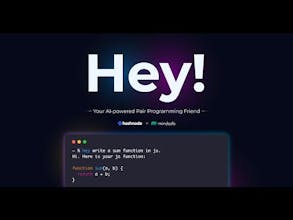
AI-Powered Pair Programming Friend! ✨

386 followers

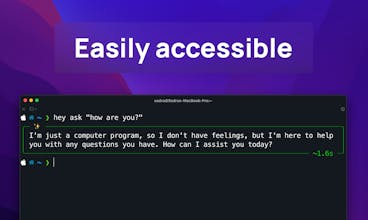
Hey is a free and open-source CLI tool for Linux, Mac, and Windows users that seamlessly integrates powerful Large Language Models (LLMs) for a delightful development experience. Hit it with your issues and bugs and let it shine with solutions! 💡
Hey! gallery image
Hey! gallery image
Hey! gallery image
Hey! gallery image
Hey! gallery image
Hey! gallery image
Hey! gallery image
Free
Launch Team / Built With
Wispr Flow: Dictation That Works Everywhere
Stop typing. Start speaking. 4x faster.
Promoted

What do you think? …

Robert Thomas
@elke_qin hey, this CLI tool sounds super cool and just what I've been looking for! Quick question though, do users need to have experience with command line stuff? I'm still pretty new to this, and I don't wanna get stuck if it's too advanced. Thanks for making it open source and free!
Sadra Yahyapour
Hey @robertthomas2, thanks for the compliments. There are a few commands that you need to run to make it work. It's not complicated for a regular user, but it's meant to be a quick in-terminal LLM assistant for those who use CLIs the most like devs.
annedevj
Damnn super nice! I was using warp for a bit but didn't get used to it + was forgetting the shortcuts or commands to ask ai something, but Hey is simple, straight to the point and free, and open source 🥹 what more do you want? Oh and your intro video is super creative 🔥
Sadra Yahyapour
Thank you so much, @annedevj! I'm so much amazed that you found Hey useful. It can't compete with Warp's AI though. 😅 I use Hey in Warp. It's perfect. You can stay posted and get updates about Hey by following me on Twitter: https://twitter.com/lnxpylnxpy
Star Boat
Wow, Hey! sounds like a game changer for developers! The fact that it's free and open-source is just the cherry on top. How did you manage to integrate such powerful LLMs seamlessly across different OS environments? Looking forward to exploring its capabilities! 🚀
Sadra Yahyapour
Thank you, @star_boat! I really appreciate that. I developed the tool on my MBP. Then tested it on Windows and Linux environments. With a bit of modification, I made it compatible with all machines. It's POSIX-friendly.
Muhammad Salman
This is an awesome tool! I love that it integrates powerful Large Language Models to help with development issues and bugs. However, it would be even more convenient if this tool were available as a VS Code extension.
Sadra Yahyapour
Thank you, @muhammad_salman39! You can use Microsoft's Copilot for that purpose. It's designed for that purpose and gives you more accurate results.
Elke
Congrats on launching this amazing CLI tool! It's great to see a free and open-source solution that empowers developers on multiple platforms. The integration of LLMs is definitely a game-changer for enhancing productivity. Can't wait to see how it evolves with community feedback and contributions. Upvoted! 🚀
Sadra Yahyapour
Thank you, @elke_qin! That's lovely.
Kyrylo Silin
Hey, I'm curious about which LLMs it uses and how it handles more complex coding challenges. Does it have any special features for debugging or code optimization? It would be great to hear some examples of how developers are using it in their workflows. Congrats on the launch!
Sadra Yahyapour
Hey @kyrylosilin, the handling that you mentioned is on LLM's and not Hey itself. You specify the LLM service URL and the specific model that you're trying to use, it'll then use that model to provide you the results in a pretty styled way. I use it in my daily work. It works perfectly fine!
Chris Messina
This is neat. Why do you need to use "hey ask"? Why not just "hey" and then the request?
Chris Messina
@lnxpy thought that might be the case... kind of ironic given that this is an LLM powered CLI? :)
Sadra Yahyapour
Great point, Chris! The LLM is just one part of the overall structure. When the LLM is in use, it takes a few seconds to respond, which isn’t ideal for handling built-in static commands that don’t need the model’s involvement. That’s why I structured 'Hey' to be versatile for both users and developers. Developers can install 'Hey' and leverage its internal APIs to integrate LLMs into their workflows. For example, I’m currently using 'Hey' (as a package) alongside an Arduino to control the lighting in my room—kind of like how we use 'Hey Siri' to control our Apple devices. (I accidentally deleted my previous reply—apologies for that.)
1234
Next
Last