

Filter Everything Online
Filter any content, on any site
41 followers
Filter any content, on any site
41 followers
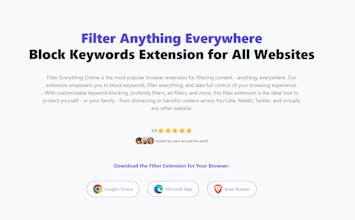
Filter Everything Online - anything everywhere with our browser extension. Block keywords, profanity, and unwanted content across all websites. Advanced profanity filter for Chrome, Firefox, and Edge. The best filter extension for content filtering.





Filter Everything Online
@unlimitive Curious how deep the keyword filtering goes, can it catch slang or creative spellings too?
Filter Everything Online
@masump Hi! It currently catches the specific words you enter, so if you would want to catch slang words, you can enter them yourselves or download a filter group by someone else which already includes a list of slang words. I am planning to implement pre-defined groups for profanity etc., so I could make another one for slang words too, if people would like it :)
Filter Everything Online
@george_esther Hi Esther, thanks for the kind words 😊
The extension checks every filtering rule before doing anything on a page, so filters only run when they actually apply to the current site, time window, or schedule. When a rule does apply, it focuses on the usual content blocks you’d expect on major sites (tweets, YouTube cards, article previews, headlines) and hides them or swaps them with a placeholder you can easily restore. Nothing is permanently changed, and each pass starts clean, so the page doesn’t get progressively more altered the longer you browse.
For dynamic pages, the extension waits until the page stops shifting around before filtering again. That helps avoid flickering, double-filtering or breaking scrolling on websites that constantly load new content. If you choose to block an entire site, it does so cleanly rather than leaving parts of the page active.
This approach keeps things stable across most common websites and layouts, but it’s worth noting that no tool can perfectly filter 100% of the internet. Sites use very different (and constantly changing) structures, so there will always be edge cases. Still, the goal is to make filtering as reliable and reversible as possible while giving users control without damaging page functionality 😁
I recently visited Filter Everything Online, and I found it to be a clean and efficient site. The interface is simple and easy to navigate, which makes it quite user-friendly. Its filtering functionality seems powerful, allowing users to quickly refine content based on various criteria, though I would have liked to see more clarity in how filters are organized.
One strength is the performance — pages load quickly and the filter interactions feel responsive. However, the site could benefit from a little more design polish: some elements feel basic, and the layout doesn't always adapt smoothly to different screen sizes.
Overall, Filter Everything Online is a practical tool for filtering content. If the design gets a minor refresh and more mobile optimization, it could become even more appealing. I'd recommend it to users who need a straightforward way to sift through large amounts of information or data.
Filter Everything Online
@yaoling_frank Thanks a lot for taking the time to check it out and leave such detailed feedback. Really appreciate the honest notes on the UI and mobile layout - that’s an area I haven’t focused on much yet, so it’s helpful to hear where it feels basic or unclear. Glad the filtering performance came through though. I’ll take your suggestions into the next round of updates :)