Drive Password

New generation secret manager entirely based on Google Drive

5.0
β€’1 reviewβ€’

4 followers

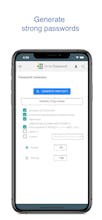
Password manager that encrypts all your sensitive data and stores it in your Google Drive. You retain complete control over your data and know where it is stored. Familiar design and powerful team sharing features make it perfect fit for Google users.
Drive Password - Password Manager gallery image
Free Options
Launch tags:Androidβ€’iOSβ€’Mac
Launch Team
Anima - OnBrand Vibe Coding
Design-aware AI for modern product teams.
Promoted

What do you think? …

Kaloyan Dobrev
How many passwords do you have ?
Paul Polzin
Usefull.really needed that
Stanislav Dimitrov
@paul_polzin Let me know if you need any help using it! :)
Kishlaya Sharma
This is a great product
Tom Snyder
I read through the docs. I guess a couple of things that stand out to me is 1) I don't see any autofill feature like is available in most password managers. 2) Using Google's built in smart Lock password manager technically also already has 2x protection if you set a sync passphrase. 3) Why not just store a KeePassXC database in Google Drive? That would also have the 2x protection mentioned plus a lot more features.
Stanislav Dimitrov
@tom_snyder Thanks for the questions! 1. Autofill is in our roadmap and will be present soon. 3. You can do it, although it is not really convenient especially if you are using iPhone or an iPad.
Jonathan Levi
@tom_snyder @stanislav_dim +1 - until autofill is available unfortunately this is a no go for us!
Stanislav Dimitrov
@tom_snyder @entreprenewer Yeah, totally understandable. We will do our best to implement it real soon!
Stanislav Dimitrov
@tom_snyder @entreprenewer Not yet, but we are making steady progress in pushing Drive Password v.2 :)
Abigail Gutierrez
I am very interested in trying this out!
Stanislav Dimitrov
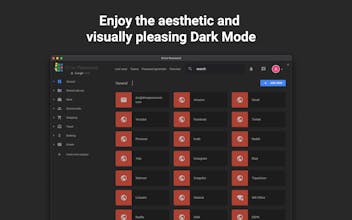
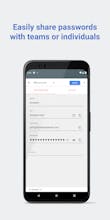
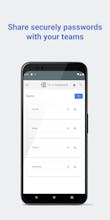
Hey guys! We’ve been developing Drive Password for more than year and a half and officially launched it couple of weeks ago. The sole purpose of Drive Password is to provide convenient yet secure way of managing passwords and storing them in your Google Drive account. Drive Password aims to solve 2 main problems: 🦾 Getting control over your sensitive data. All your passwords, secrets, credit cards and etc. are encrypted on your device and stored within your Google Drive account. You retain complete control and your data is not on some unknown server hosted by the developers. 🀝 Share passwords with multiple teams or individuals. The teams feature in Drive Password is created for all of you who juggle several projects with different teams or individuals in mind. You can easily share password, subcategory or entire category with one team or one individual. Important things to know about Drive Password πŸ“±πŸ’» πŸ–₯ It works on all your devices πŸ— On device encryption and decryption πŸ‘¨πŸ»β€πŸ’» There is Free 3 months trial (nothing is required, simply install and enjoy) πŸ’¬ Built in support chat - We are always ready to help you through the built-in support chat. πŸ”’ Strict and simple privacy policy. 09.02.2020 - We just added dark theme πŸŒ™
Daniil Gorbenko
good idea. sometimes I need to store a bunch of passwords together...
Stanislav Dimitrov
@daniilgorbenko thanks for commenting! Do you need a sharing option or just storing is what you are mostly interested in?
Daniil Gorbenko
@stanislav_dim Sometimes a team needs to store all passwords and have access to them. Your application would be useful to me
Stanislav Dimitrov
@daniilgorbenko feel free to reach out if you need any assistance :)