Cosmil

Cosmil

The Finder alternative from the future.

58 followers

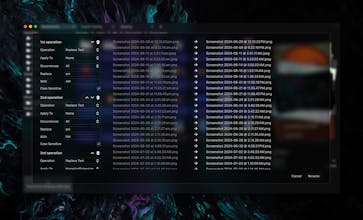
The Finder alternative from the future. An all new file explorer with a beautiful customizable appearance, new features, and a flexible, intuitive experience.
Cosmil gallery image
Payment Required
Launch tags:MacProductivityStorage
Launch Team / Built With
Flowstep
Flowstep
Generate real UI in seconds
Promoted

What do you think? …

Justin
Maker
📌
Hey everyone, I'm the creator of Cosmil. When I bought a Macbook Air about 2 years ago I really enjoyed it, I mean, Macs were probably the most competitive laptop out there. The battery life and performance was great and they were easy to use, but boy, when it came to managing my files... I just despised Finder. It felt cluttered, confused, and as someone coming from using Windows and Linux their entire life the lack of Cut & Paste was alarming! In response, I created Cosmil to be an intuitive, easy-to-use, powerful and *beautiful* alternative to Finder. After spending months developing this beautiful app I couldn't be happier with how it looks, feels, and operates. I already find it very hard to go back to using Finder, compared to Cosmil it feels like losing a leg! I understand some people do enjoy how Finder operates, and there are some minor things I like about the Apple way of things as well, that's why Cosmil is almost a merging of the best of Windows and Mac style file explorers. Among other things, you can choose between Cut/Paste and Copy/Move clipboard move behavior. Everything is up to you. For the next week or two Cosmil will be on a 42% Off launch sale. Thanks for checking Cosmil out and I really hope you guys enjoy it!
Josh
As a UX designer, this is great. I'll definitely be trying it out! Goodluck with the launch!
Andriy Semenets
Congratulations on the launch! Is this a native macOS app or some sort of Electron wrapper? The performance of the native app just cannot be compared to a webview.
Justin
@semanser Cosmil is not native, unfortunately it's just wayyyy too difficult to make a visually appealing interface natively, especially in Rust, the language Cosmil's backend is written in. Now with that being said, Cosmil was built atop of Tauri. Tauri is similar to Electron in that it allows developers to package web guis into desktop applications. However, unlike Electron, Tauri hooks into the system-native webview, meaning packaging the entirety of Chromium is entirely avoided. I mean Cosmil comes in at just 10.3 MB completely unpackaged, in comparison, the smallest bundle size you'd ever get with Electron would be 80MB+. Now the size advantage is amazing, but the other awesome thing about Tauri is that it allows you to relegate more expensive operations (such as the "recursive" search in Cosmil) to Rust, a language that compiles straight to machine code and is known for its performance. So yeah, Cosmil won't beat Finder in terms of GUI performance because, put simply, it's not native. However, Cosmil can actually be faster when it comes to performing operations on the backend. The only performance loss is in the GUI. Hope that answered your questions and thanks for checking out the launch!
Kyrylo Silin
How does it handle performance with large file directories compared to Finder? Any notable differences?
Justin
@kyrylosilin To be completely honest with you, Cosmil is not made for managing extremely large amounts of files, it's a side effect of the platform it was built upon (https://tauri.app/), webview isn't exactly known for performance. That being said, this is only GUI lag, the actual hard work being done is written in Rust, a very performant and safe language. This means searching, moving, deleting, and renaming files is all very fast, it's just displaying large amounts of files stresses the GUI. I haven't done super thorough testing but you may see ~a sec delay when opening folders with ~3000 files/directories, after that scrolling through the files is smooth. More than 5 or 6000 files and it might get a little bit shaky. All of this is from an M1 Mac Air just so you know. I've got some ideas on how I could squeeze out more performance but I don't want to put in major effort unless I know this is something people really need. As far as I know, most people don't regularly work with directories that have tens of thousands of files. TLDR: It might be a bit faster than Finder for things like searching and moving files, but when it comes to actually displaying thousands of files on the GUI, Finder is more performant for now.
Aztec Elric
I'm excited about its customizable appearance and intuitive interface. Can't wait to explore my files in style! 😊